.png)
Let's Get Started
To unlock your personalized dashboards and tracking, we need to know who you are. Enter your credentials below. We'll remember them on this device for your next visit.
The address you signed in with.
Your data is stored securely in our private cloud.
Partner Training Program
3 days. Everything you need to start earning from Flowmingo partnerships.
Couldn't load training content
Check your connection and try again.
Complete Day 1 first
Finish all checkpoints in the previous day to unlock this one.
How Training Works
3 Days, ~20 min each
Day 1: Basics & Pricing. Day 2: Commission & Activation. Day 3: Outreach & Resources. Each day ends with a few 1-minute tasks.
Self-check Quizzes
Quick checkpoints between sections. Answer to unlock the next part.
Pick Up Where You Left Off
Progress saves automatically. Come back any time to continue.
Lead Discovery
Access and claim fresh leads directly from our lead distribution system.
LinkedIn Leads
Your leads will appear here
Select a location and click "Get 10 Leads" to start
How to Use the Lead Distributor
1 Choose Your Lead Type
Use the toggle at the top to switch between LinkedIn Leads and Email Leads. LinkedIn leads include a profile link for direct outreach; email leads give you a verified email address to contact directly.
2 Enter Your Details & Get Leads
Enter your partner email, select a target location, and click Get 10 Leads. For LinkedIn leads, enable Avoid duplicates I've worked to skip prospects you've already contacted.
Greater London, UK
3 Work Your Leads
After reaching out, update each lead's status using the dropdown — Contacted, Replied, or Interested. This keeps your pipeline accurate and prevents teammates from working the same prospects.
4 Track & Follow Up
Use the My Worked Leads button to review everyone you've contacted. Focus follow-ups on leads marked Replied or Interested — these are your warmest prospects closest to converting.
Performance Tracking
Real-time stats on your referrals, conversions, and upcoming payouts.
Data refreshes every hour. Enter your unique partner code to view your performance.
Your performance data will appear here
Enter your partner code above and click "Check My Performance"
How to Use the Performance Tab
1 Enter Your Partner Code
Type your unique partner code (from your welcome email) in the input field.
22UVIHNI
2 Click "Check My Performance"
Click the orange button to search for your referral data.
3 View Your Results
See your referrals, signup dates, and commission amounts in a table format.
4 Understanding Status
- TRUE: Company has interview sets created
- FALSE: Company signed up but hasn't started using Flowmingo yet
- Numbers: Count of interview sets created
Commission & Payouts
Everything about your earnings, payment schedule, and setup. Each month, when we send your commission breakdown, you will be able to choose which payment option you'd like to use for that period.
Set up your identity first
We can't load or save your payout details until we know who you are — the dashboard remembers you per-browser, so a new device or cleared cache needs you to sign in again. Go to Your Identity, enter your email + partner code (or use Restore from Email), then come back here.
When do I earn commission?
You earn commission when companies you referred — or their candidates — make a paid transaction on Flowmingo. Signups alone do not generate commission. Your 50% revenue share applies to every paid transaction within the 180-day attribution window.
50%
Revenue Share
180
Day Attribution
Monthly
Payout Cycle
Commissions are calculated monthly and paid out on a fixed schedule. Here's how the cycle works:
Earnings Period
Your commissions are tracked automatically throughout the month. The exact earnings period is confirmed every month so you always know what's being counted.
Invoice Notice (27th–29th)
When you have commissions for that month, between the 27th and 29th you'll be contacted 1:1 to fill in your payment details, receive a full breakdown confirming the payout amount, and select your preferred payment method for that period.
Payment Processed (1st–5th)
Your payment is processed between the 1st and 5th of the following month via your chosen method. Make sure your payout details are submitted before the deadline.
Below are the rules and fees associated with each payment method. The options available depend on whether your monthly payout is above or below $50.
For Monthly Payouts of $50 or More
These are the most cost-effective options for receiving larger commissions.
Our preferred method. Smooth, fast transfer directly to your bank account.
Instant delivery of a digital gift card. You can list specific brands you'd prefer (e.g., Amazon, Steam, a local retailer) by emailing support@flowmingo.ai.
For Monthly Payouts Under $50
For smaller commission amounts, you have several flexible options. To avoid fees, we recommend accumulating your earnings or choosing a gift card.
Your commission will roll over to the next month until it reaches the $50 threshold. We then process the full payout via Wise at no cost to you.
The best option for an immediate, fee-free payout under $50. Instant digital delivery.
Good for immediate payout, but the fee will reduce your final earnings. Requires an active PayPal account.
Good for immediate payout, but the $5 fee will reduce your final earnings. Requires bank account details.
Your Payout Details
You can submit your payout details here in advance.
Personal Workspace
Capture thoughts, outreach notes, and strategies. Saved to your profile.
Marketing Kit
Logos, images and a PDF to promote Flowmingo
Everything is in 1 Google Drive folder that opens without signing in. Download what you need for your website, posts and proposals, or send the folder link to anyone who asks you for materials.
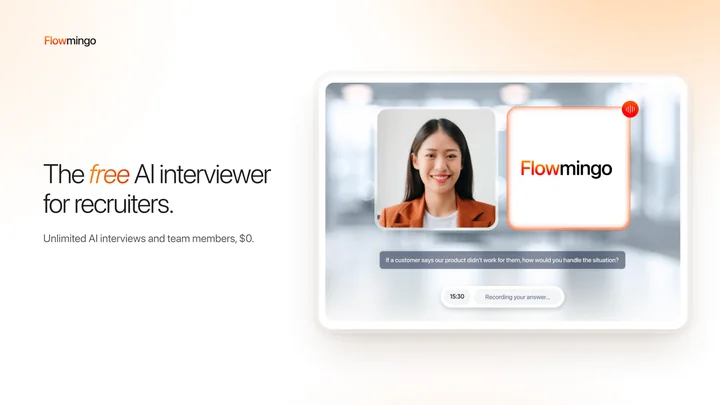
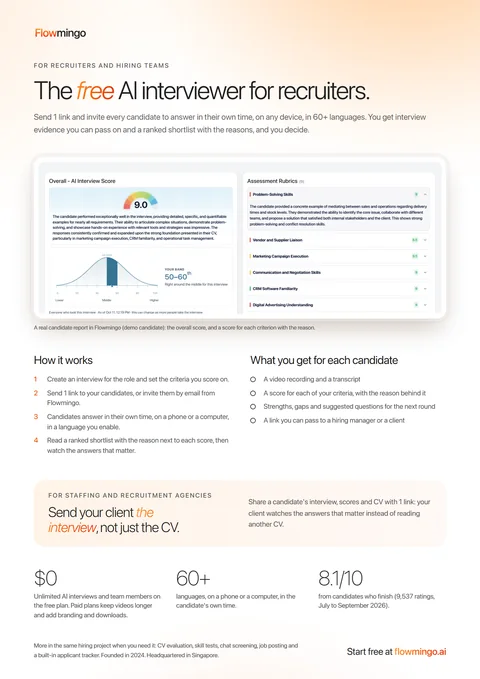
For your clients
A 1-page PDF that explains Flowmingo
Attach it when a company asks what Flowmingo is, or after a call, with your partner link in the email. It shows a real candidate report, how it works, what each candidate comes back with, and what it costs.
Everything else in the kit
Logos
SVG and PNG, colour and white, horizontal and stacked, plus square profile pictures.
Open folderProduct screenshots
9 real screens, desktop and phone: the candidate report, the interview and the page you share with a client.
Open folderSocial images
4 images in 3 sizes for LinkedIn, Facebook and Instagram. The post text, with your link inside, is in the Share Kit.
Open folder Post textCover images
For a website or listing page (1920x1080), a LinkedIn banner and a Facebook cover.
Open folderWebsite banners
728x90, 300x250 and 300x600, sharp on any screen. Link each one to your partner link.
Open folderBrand guide
How to use the logo and colours, and what to say and not say about Flowmingo. 2 pages.
Open PDFCopy you can paste
The name, a 1-line description, short and long descriptions and key facts, for a listing or a proposal.
Open docVideos
The demo video and product clips, to post straight to LinkedIn, TikTok or WhatsApp.
Open folderWherever people can click, use your partner link
Link the banners, the images you post and your website listing to it, so the companies you bring are counted for you.
- Say you are a Flowmingo partner when you recommend it.
- Only say what the brand guide and flowmingo.ai say.
- Ready post text, your email signature and website snippets are in the Share Kit.
Do next: about 1 minute each
Tick each one off as you go. Your ticks are saved to your account.
Updates from the Flowmingo team
Browse news and resources from the team, including older updates.
Follow updates on WhatsAppYour referral link
Companies that sign up through this link are counted for you.
Support
Pick the channel that fits the question
Verified Partners (Level 3) also have a dedicated line. It appears on their Home.
Flowmingo Partner Assistant
For: how the program works, what to say to a company, how commission is counted.
Answers in seconds, any time of day.
Partner hotline: (+84) 989 877 953
For: a company that signed up but is missing, a tracking problem, anything urgent.
WhatsApp. Include your partner code and the company's name.
Partner channel
For: announcements and new material from the team.
Email: support@flowmingo.ai
For: payout questions, anything with screenshots or documents.
Feedback to the team
For: ideas, something confusing in this hub, a problem that keeps coming back.
Read by the team. Verified Partners are answered first.
Common questions
LinkedIn shortens my link. Does tracking still work?
Yes. LinkedIn wraps links in its lnkd.in shortener for security. Your code travels inside the link, so the sign-up is still counted for you.
When are payouts made?
Commissions are calculated at the end of each month and paid between the 1st and the 5th of the next month, by the payout method you chose. Details are in How We Pay.
How do I move up a level?
3 companies signing up through your link make you a Rising Partner. When 3 of your companies have interviewed real candidates, you become a Verified Partner. Your Home shows where you are, updated every day.
Partner Admin
Payouts, and the partner inbox: feedback sorted by level, meeting requests, levels and checklist use.
Loading the payout run…















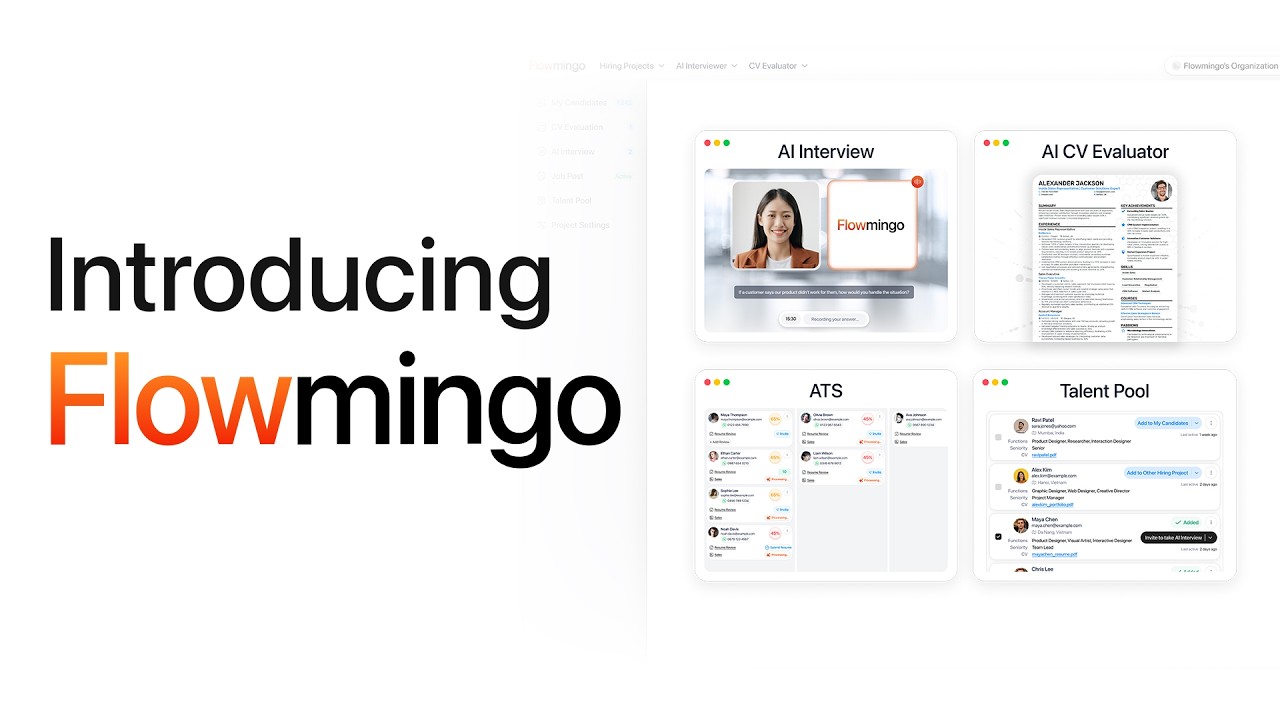
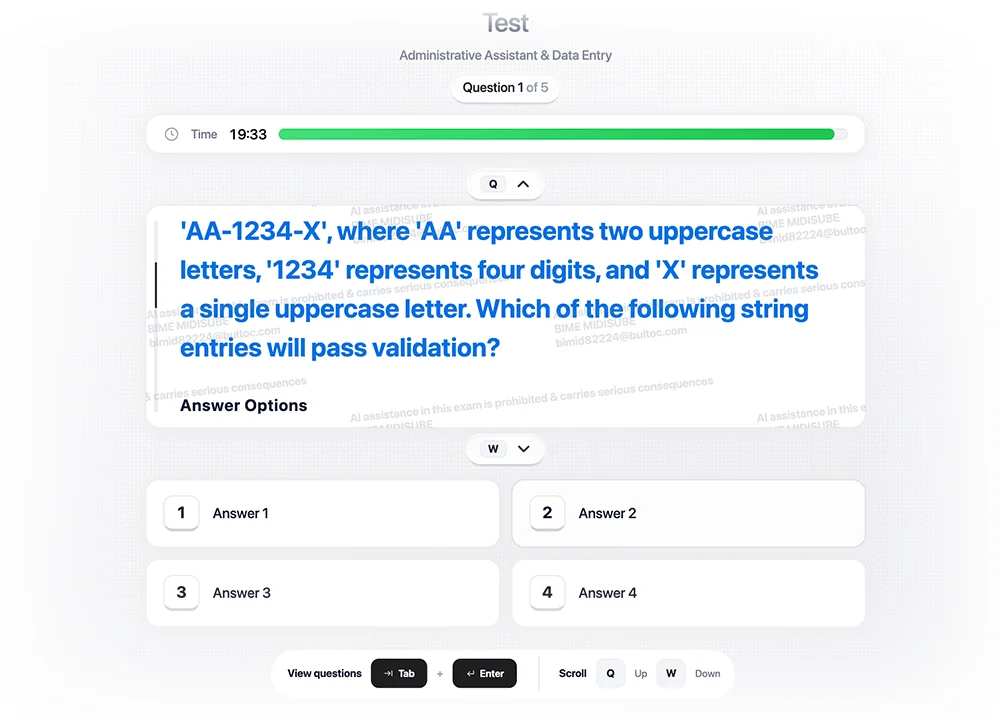
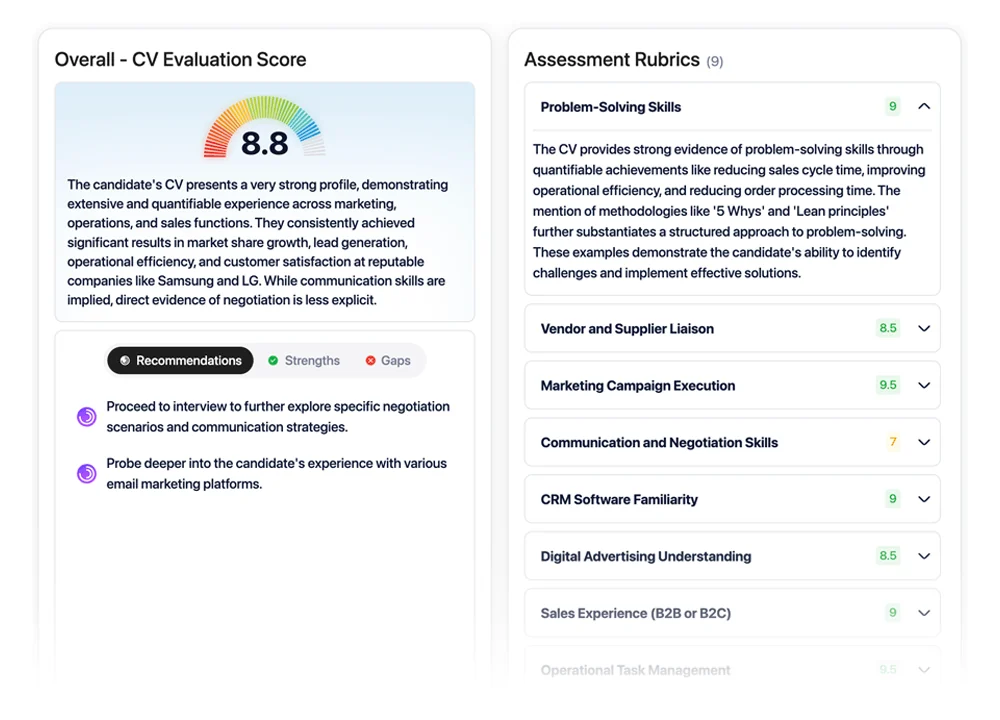

2. WhatsApp, SMS & Social
Use these templates based on the channel you're using. SMS and WhatsApp are better for direct outreach. Social templates work better for pull strategy and inbound interest.
Best for warm introductions and short mobile-first communication.
Hi {{FirstName}}, this is {{YourName}}. I partner with Flowmingo — a free AI interviewer for recruiters.
I know your team probably runs a lot of screening calls. Would you be open to me showing you how Flowmingo can take on that early screening for you?
I can send a quick demo video.